
Fraud Prevention
Fraud Prevention

How Visa helps
How Visa helps
Visa Advanced Authorization
Every time you pay with your Visa, Visa Advanced Authorization analyzes more than 500 data points to ensure that there has been no unusual purchase activity, such as a purchase in Munich and Moncton at the same time. By analyzing usage patterns, trends, and more, Visa provides your bank with a comprehensive risk assessment to help detect scammers and fraud. By thoroughly analyzing every transaction, Visa Advanced Authorization also helps reduce the likelihood of false declines. With the help of Visa Advanced Authorization, we can continue to help keep you safe.
Visa Secure
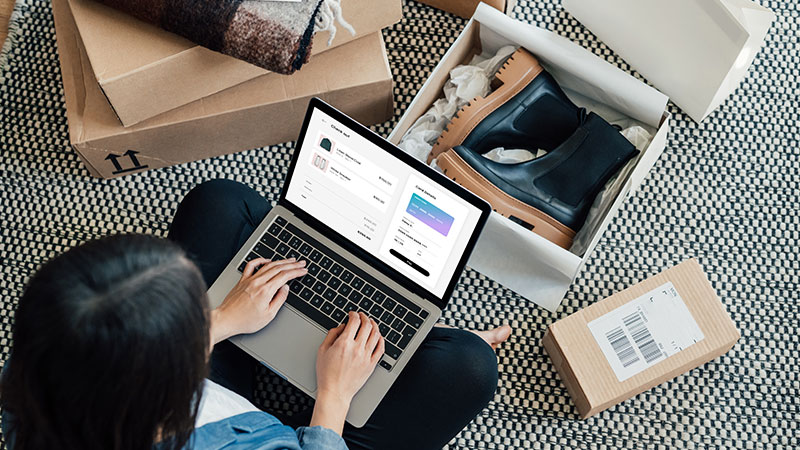
When you shop online, after entering your card information, you may be directed to input a one-time verification code before your purchase is completed. This is how Visa Secure verifies if it is really you making this online purchase. By correctly inputting the one-time code at check-out, you can confirm your identity and keep scammers from fraudulently using your card.
Visa Address Verification
When you enter your address while shopping online, the store sends your address to Visa. Visa then sends that information to your bank, and they confirm that the address inputted at check-out matches the address on file for your credit card. They send the confirmation back to Visa who forwards it to the online store, who can then move forward with the purchase. The Visa Address Verification process happens instantly, helping to deter fraud through authentication of your account.

Emergency Card Replacement
If your card is lost or stolen, Visa will help you along the way. Representatives from Visa and your issuing bank will block your old card and ship you a new card. Arrange a secure and convenient pick-up location for an emergency replacement card or request direct delivery, anywhere in the world. Access Visa’s Emergency Card Replacement service by calling 1-800-847-2911.
Emergency Cash Replacement
If your card is lost or stolen, whether at home or abroad, simply call 1-800-847-2911 to talk to the Visa Customer Service Centre about an emergency cash disbursement. They will work with you to arrange a convenient and secure pickup location or coordinate a direct delivery.
Tips to help prevent fraud
Tips to help prevent fraud
Stick to trusted and secure websites
Before you browse a website, check for “https” in the URL and a padlock symbol in the browser bar. These signs indicate that the website is secure.

Don't trust a too-good-to-be-true deal
Scammers may try to tempt you with deals and offers that are too good to not consider. However, these deals are often lies that scammers use to catch your eye. If a deal seems too good to be true, it probably is.
Make safe payments with your Visa card
Some payment methods are safer than others. Scammers may be able to monitor payment methods such as direct money transfers, wire transfers, and peer-to-peer mobile apps. Be sure to use secure and protected payment methods, such as your Visa card.
Be mindful of scams in your inbox and text messages
Criminals have reached new levels of sophistication, crafting messages and emails designed to trick you. These messages can be difficult to discern as scams. To keep yourself protected, don’t click on links in unsolicited emails or messages. Verify with the sender through their customer service or mobile app before giving any personal info.
Monitor your statements to catch fraud
Even if a fraudster slips past your defences, it’s not too late to catch them. Checking your bank and credit card statements regularly can help you find fraudulent transactions. Setting up transaction alerts can be a big help in catching fraud. If you discover any activity that you did not authorize, report it to your bank right away.
Protect your personal information
Don’t give out personal info in a potentially unsafe setting unless it’s absolutely necessary. With scammers using AI to mimic faces and voices, be careful of any online requests for personal info – even if the message claims to be from a friend or family member. Never give out personal information to anyone over the phone unless you are sure of who you are talking to.
Avoid shopping on public wifi
While using a public wi-fi network, your Internet activity can be monitored by hackers. It may be unsafe to open your financial information online while using public wi-fi. If you are planning to shop or make online payments, it is safer to do so from a secure home network or while using a VPN.