
Visa Debit lets you get more from your debit card
Visa Debit lets you get more from your debit card

Unlock more possibilities with a debit card
Unlock more possibilities with a debit card
**Visa’s Zero Liability Policy does not apply to certain commercial card and anonymous prepaid card transactions or transactions not processed by Visa. Cardholders must use care in protecting their card and notify their issuing financial institution immediately of any unauthorized use. Contact your issuer for more detail.
Explore all the ways to use your Visa Debit card
Explore all the ways to use your Visa Debit card

Shop online
Safely shop online with your Visa Debit card, whether you store your card credentials on your favorite sites or use a digital wallet.
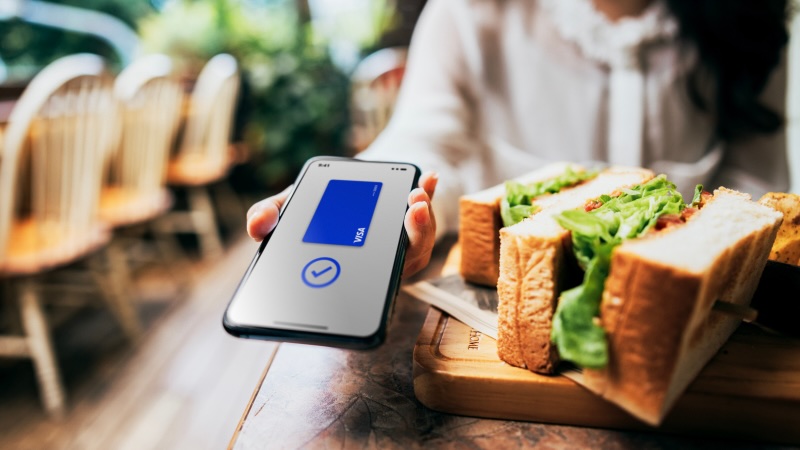
Tap to pay
Tap to pay with your Visa Debit card in your mobile wallet at millions of locations outside of Canada.
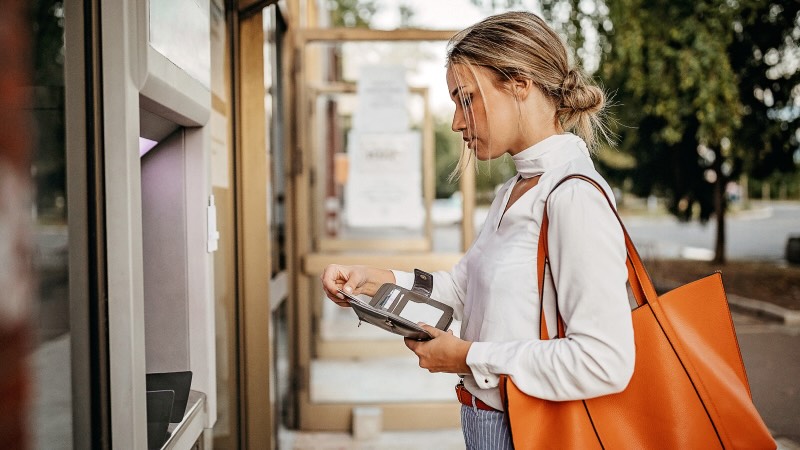
Withdraw cash
With over 2 million ATMs globally, you have fast, convenient access to cash 24/7/365 internationally without having to wait in line at a bank.

Online account funding
Move money between your bank account and other accounts, including investment and gaming accounts, all in real time.*

Receive payouts from apps
Transfer earnings from online marketplaces, gaming winnings, gig earnings and more to your bank account in 30 minutes or less.*

Send money internationally
When using international money transfer apps, quickly send money to friends and family bank accounts using their Visa Debit card credentials.
Cutting-edge protection for every debit card transaction
Cutting-edge protection for every debit card transaction
For details on the different Visa Debit cards visit:
For details on the different Visa Debit cards visit:
Visa Debit FAQ
Visa Debit FAQ
Where can I use Visa Debit?
Canadian merchants Online, Over the Phone, and by Mail
Visa Debit is accepted online and in mobile apps, over the phone, and by mail at participating merchants in Canada.
International merchants (including US) Online, Over the Phone and by Mail
Visa Debit is accepted by US and International online, in mobile apps, telephone, and mail order retailers that accept Visa.
In Stores Outside Canada
When shopping in stores outside of Canada, Visa Debit (excluding Virtual Visa Debit) is accepted wherever Visa is accepted. Look for the Visa acceptance mark.
Where can I get Visa Debit?
Visa Debit is available nationally at:
How do I check out using Visa Debit online?
Upon selecting items for purchase, you will need to:
- Click the "Checkout" button (or equivalent) when you are ready to make your online purchase. This will take you to a checkout screen.
- In the payment information area, select "Visa Debit" if available or "Visa" as the "card type".
- Enter your Visa Debit number and expiration date in the supplied fields.
- If required, enter your security code in the "Security Code", "CVV2" or "CSC" field. The security code is a three-digit number found most often on the back of your card.
Why is my RBC card called Virtual Visa Debit?
"Virtual" relates to the fact that this card can only be used where a card is not required to be physically presented to the merchant. These transactions are generally done online, by telephone or by mail order. For convenience, clients will be issued a plastic reference card that gives the client all the information required to make a purchase: The Virtual Visa Debit reference card does not have a magnetic stripe, CHIP or PIN associated with it and therefore cannot be used at an ATM or store.
*Virtual Visa Debit is accepted online, over the phone and by mail only.
How does Visa Debit work internationally?
Visa Debit is accepted at millions of merchants worldwide and can be used for purchases made in store (excluding Virtual Visa Debit), online, over the phone and by mail. When shopping outside of Canada look for the Visa acceptance mark. Acceptance experience may vary from one country to another, and will typically require either a PIN or signature to process transactions at point of sale.
How does Visa Debit work for phone and mail orders?
Phone and mail-order transactions are processed the same way as other card-not-present Visa transactions. The account holder provides necessary account information such as the card number, expiry date, and the 3-digit security code (CVV2).
Does Visa Debit work in automatic banking machines (ABMs)?
In Canada
Yes, where Visa Debit is issued on a bank card that also supports InteracTM transactions, Visa Debit works at Canadian ABMs but the transaction will be processed by InteracTM. Like with other debit cards, you simply insert the card into the ABM, enter your PIN, and select the desired function (withdraw cash, make deposits, transfer funds, check account balances). Transactions processed through Interac are not protected by Visa's Layers of Security.
Outside Canada
Visa Debit (excluding Virtual Visa Debit) can be used to withdraw funds directly from your bank account at more than 2.2 million ABMs around the world where Visa is accepted. Just look for the Visa acceptance mark.
Is the PIN for the ABM the same as the PIN used to make a purchase?
Yes, the same PIN is used for both point-of-sale purchases and ABM transactions.
Which of my accounts is debited when I pay with Visa Debit?
When making a Visa Debit payment, funds are debited from your primary chequing account. This is the same account that you access by selecting "Chequing" when you make a debit purchase with your bank card.
How does Visa Debit work for items purchased in advance - for example hotel reservations?
Visa Debit can be used to make hotel reservations and other types of advance payments made prior to using a good or service. The amount authorized at the time of the reservation is deducted immediately from the account holder's account. A hotel room, for example, is paid for at the time of booking, regardless of how far in advance the room is reserved. A hotel may estimate the deduction based on:
- the account holder's intended length of stay at check-in time
- the room rate
- applicable taxes
At the end of the stay, when the final cost is calculated, the hotel may adjust the total, with funds either paid by or refunded to the account holder. If a reservation is cancelled, refunds are credited back to the account in accordance with the individual merchant's return/cancellation policy.
How do refunds work for purchases made with Visa Debit?
Merchants have a variety of mechanisms available to execute refunds for unwanted merchandise, and refunds are at the discretion of the merchant. Typically refunds are not instant and can take several days to be credited to the account holder's bank account. There are also a variety of ways to offer consumers value in exchange, instead of refunds, depending on business needs, such as gift cards, store credits, etc. If a consumer decides to visit a physical location and return/exchange an item purchased online, there are limitations on electronic refunds for debit purchases. Merchants should consult their company's return/exchange policy. The way refunds work may vary depending on the merchant's return/exchange policy.
Does Visa Debit expire?
Yes. Shortly before your card expires, your financial institution will provide a replacement card with a new expiry date (in accordance to their individual business practices). The expiry date is used to process purchases online, over the phone, and for mail orders.
Does using a Visa Debit (other than Virtual Visa Debit) outside Canada and pressing "Credit" at the point-of-sale incur fees or interest?
No. In the U.S., selecting the "Credit" option simply indicates a signature-based debit transaction. The purchase amount is still deducted from the account holder's bank account the same way it would be for other Visa Debit purchases.
Can Visa Debit be used to get cash back in-store?
Yes. Where Visa Debit is issued on a bank card that also supports InteracTM transactions, it can be used to get cash back from merchants who offer this service within Canada. The cash back will be an InteracTM Direct Payment transaction.
Why would an account holder "sign" instead of entering their PIN when using a Visa Debit, other than Virtual Visa Debit, in store in the US?
Many merchants in the US still use magnetic stripe technology "not chip & PIN terminals" to process Visa transactions. Transactions at these merchants may require a signature. In locations where PIN pads are available, account holders may be asked to swipe their card and enter their PIN. Increasingly, cardholders may find Chip terminals and may be asked to PIN the transaction or sign.
Why do some transactions made in-store in the US using Visa Debit, other than Virtual Visa Debit, require neither a signature nor a PIN?
Some merchants offer Visa's "No Signature Required" service, which helps speed up checkout by allowing Visa Debit account holders to make purchases of up to $25 US (including taxes) without having to sign or enter a PIN.
Card-not-present purchases using Visa Debit are also completed without a signature or PIN.
What happens if your Visa Debit account is used fraudulently?
The Visa Zero Liability* policy provides Visa Debit account holders with protection against fraud for purchases made online, over the phone, by mail or internationally. Under the Visa Zero Liability policy, cardholders pay $0 for purchases made through unauthorized account use. Account holders should report unauthorized transactions to their account issuer immediately. Within two business days, the issuer is obligated to provide provisional credit and replace the amount under dispute, in most circumstances. Account holders should be aware that transactions in question must be posted to an account before provisional credit is issued. For details, account holders should consult their issuers.
*Visa account holders must establish that the transaction is not their responsibility as per all applicable agreements of the issuing financial institution. Individual provisional credit amounts may be withheld, delayed, limited, or rescinded by an issuer based on factors such as gross negligence or fraud, delay in reporting unauthorized use, investigation and verification of claim, and account standing and history.
How can account holders protect themselves from the risk of fraud?
There are a number of relatively simple ways to help prevent fraud:
- Sign the card (other than the Virtual Visa Debit reference card)
- Protect the PIN and don't reveal it to anyone, not even the card issuer
- Protect the 3-digit code on the back of the card. The code should only be provided to merchants to authorize transactions when the account holder has initiated the sale.
- Report lost or stolen cards to the card issuer immediately.
- Review monthly statements and report any potentially fraudulent charges to the card issuer immediately.
How do I load my Visa Debit card to my mobile wallet (Apple Pay, Google Wallet, Samsung Pay)?
1. Check with your bank to see if you can add your Visa Debit card directly through your banking app.
2. Follow the instructions in your banking app to load your Visa Debit card into your mobile wallet